Pose Estimation
1. Overview
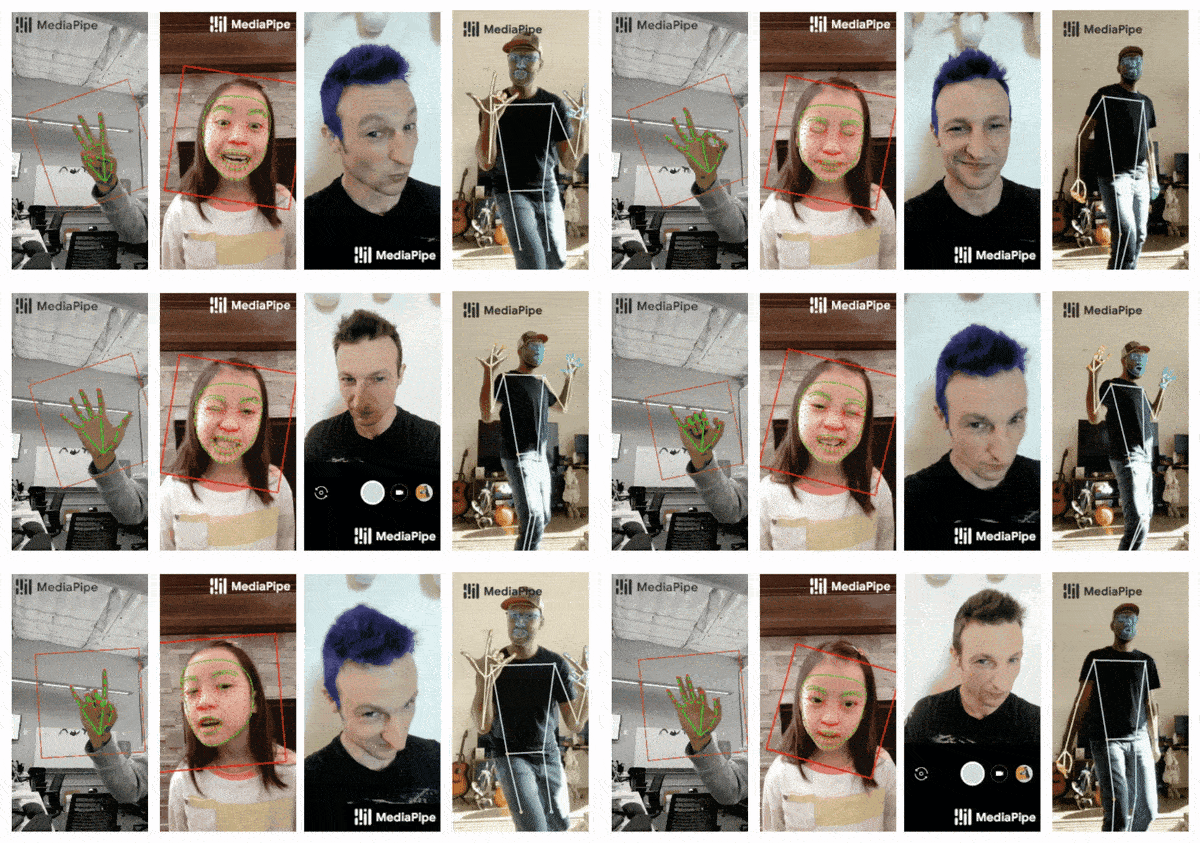
This guide demonstrates how to perform real-time pose estimation on the Jetson Orin platform (Nano / NX / AGX) using the MediaPipe Python API, with GPU acceleration enabled (if supported).
Pose estimation is widely used in applications such as gesture recognition, fitness tracking, and human-computer interaction.
2. System Requirements
Hardware
- Jetson Orin series (Nano,NX)
- USB or CSI camera (Optional but recommended)
Software
- Operating System:Ubuntu 20.04 / 22.04 LTS(Base on JetPack)
- JetPack:Official NVIDIA image (includes CUDA, cuDNN, TensorRT)
- Python:Version 3.8 or higher recommended
- MediaPipe(Python):Install via
pip - Dependencies:OpenCV,FFmpeg,GStreamer(for camera/video support)
3. Environment Setup
Step 1: Update the System and Install Dependencies
sudo apt update && sudo apt upgrade
sudo apt install -y \
    python3-dev python3-pip python3-opencv \
    libopencv-dev \
    libgstreamer1.0-dev libgstreamer-plugins-base1.0-dev \
    libavcodec-dev libavformat-dev libswscale-dev
Step 2:Install Required Python Packages
python3 -m pip install --upgrade pip
pip3 install mediapipe opencv-python
To enable GPU acceleration using TensorRT and CUDA (included with JetPack), and to maximize system performance:
sudo nvpmodel -m 0
sudo jetson_clocks
4. Running Pose Estimation
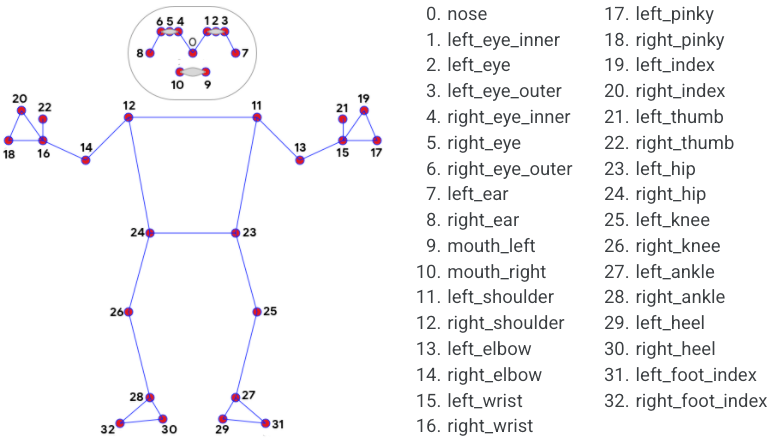
import cv2
import mediapipe as mp

mp_pose = mp.solutions.pose
pose = mp_pose.Pose()

cap = cv2.VideoCapture(0)
while True:
    ret, frame = cap.read()
    if not ret:
        break
    image = cv2.cvtColor(frame, cv2.COLOR_BGR2RGB)
    results = pose.process(image)

    if results.pose_landmarks:
        mp.solutions.drawing_utils.draw_landmarks(
            frame, results.pose_landmarks, mp_pose.POSE_CONNECTIONS)

    cv2.imshow("Pose Estimation", frame)
    if cv2.waitKey(5) & 0xFF == 27:
        break
cap.release()
cv2.destroyAllWindows()
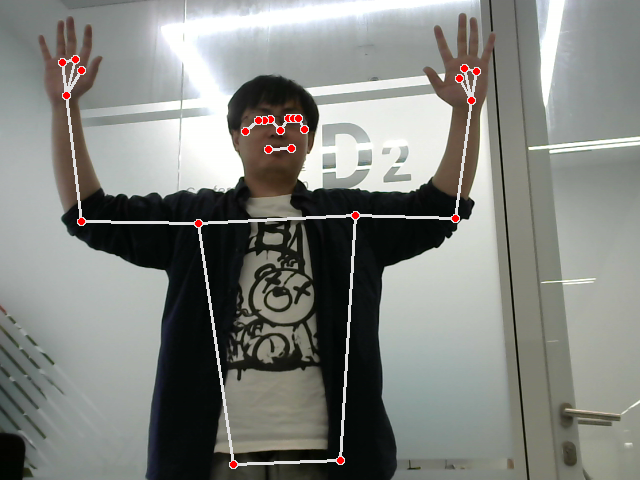
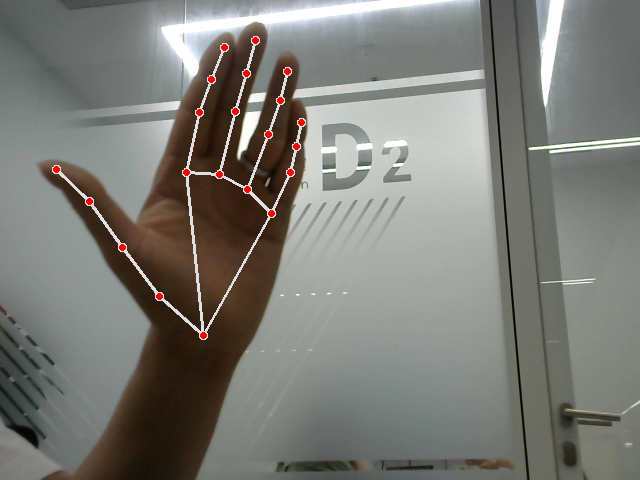
5. Hand Tracking
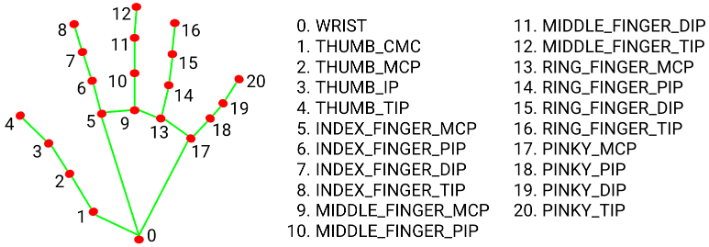
import cv2
import mediapipe as mp
import time

mp_hands = mp.solutions.hands
hands = mp_hands.Hands(min_detection_confidence=0.5, min_tracking_confidence=0.5)
mp_drawing = mp.solutions.drawing_utils

cap = cv2.VideoCapture(0)

while cap.isOpened():
    ret, frame = cap.read()
    if not ret:
        continue
    image = cv2.cvtColor(frame, cv2.COLOR_BGR2RGB)
    results = hands.process(image)
    image = cv2.cvtColor(image, cv2.COLOR_RGB2BGR)

    if results.multi_hand_landmarks:
        for hand_landmarks in results.multi_hand_landmarks:
            mp_drawing.draw_landmarks(image, hand_landmarks, mp_hands.HAND_CONNECTIONS)

    cv2.imshow("Hand Tracking", image)

    if cv2.waitKey(1) & 0xFF == ord('q'):
        break

cap.release()
cv2.destroyAllWindows()
6. Performance and Optimization Tips
| Mode | FPS(AGX Orin) | GPU Usage | Acceleration |
|---|---|---|---|
| Default (CPU) | ~5–10 FPS | Low | ❌ |
| JetPack GPU | ~25–40 FPS | Moderate | ✅ |
Tips
- Use
jetson_clocksand setnvpmodelto maximum performance mode - Use multithreaded frame capture with OpenCV
- Reduce input resolution (e.g., 640×480) to improve frame rate
7. Troubleshooting
| Issue | Solution |
|---|---|
| Import error | Ensure mediapipe is installed via pip |
| Camera not detected | Manually test with cv2.VideoCapture(0) |
| Low FPS | Enable GPU acceleration, lower image resolution, disable drawing |
| Cannot display window | For SSH users, run export DISPLAY=:0 or use VNC |